Confirm an action
Status: ExperimentalHow to use ‘experimental’ patterns
Contents
Overview
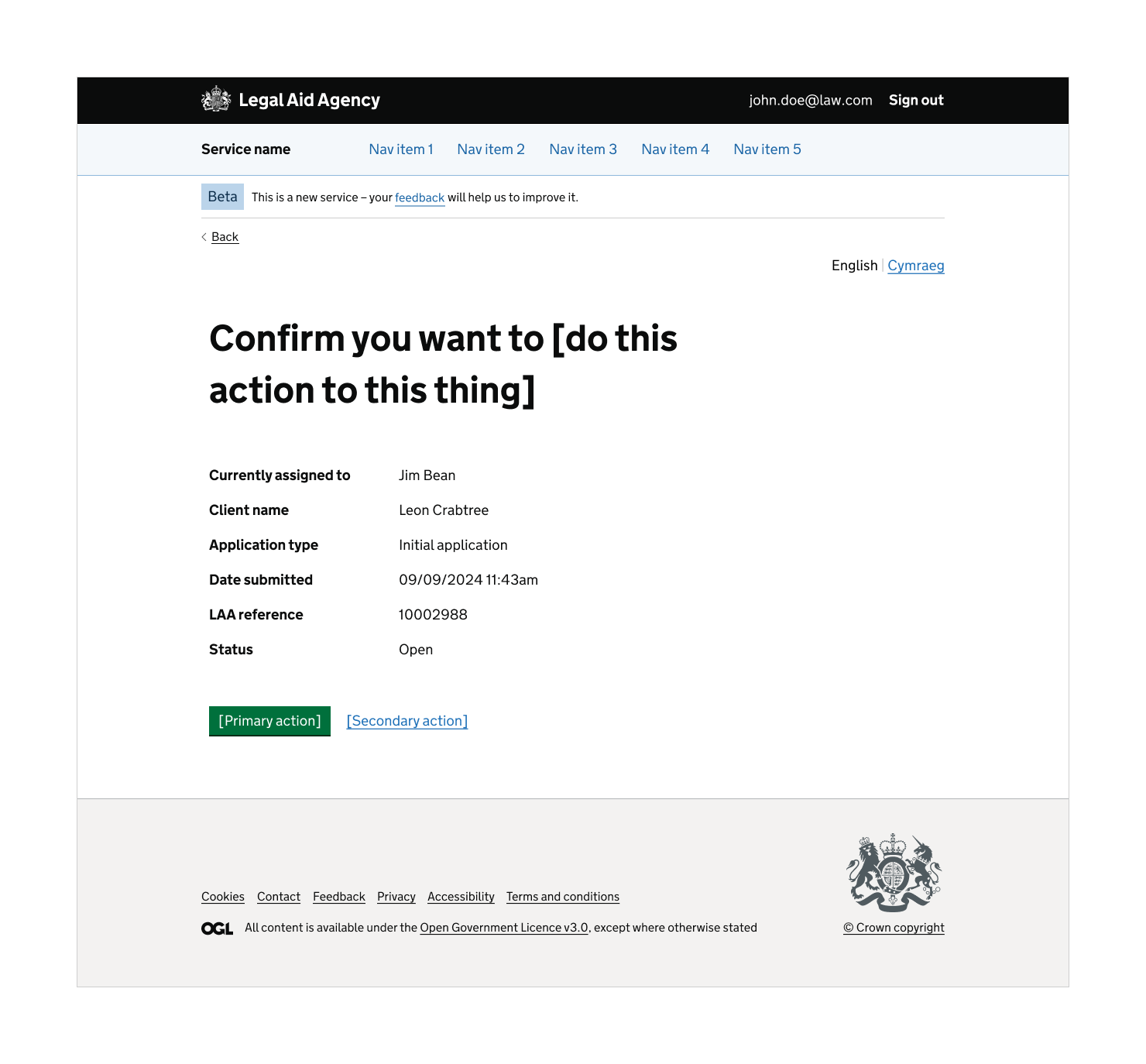
Use this pattern to help users confirm an action. It consists of a:
- ‘confirm action’ screen
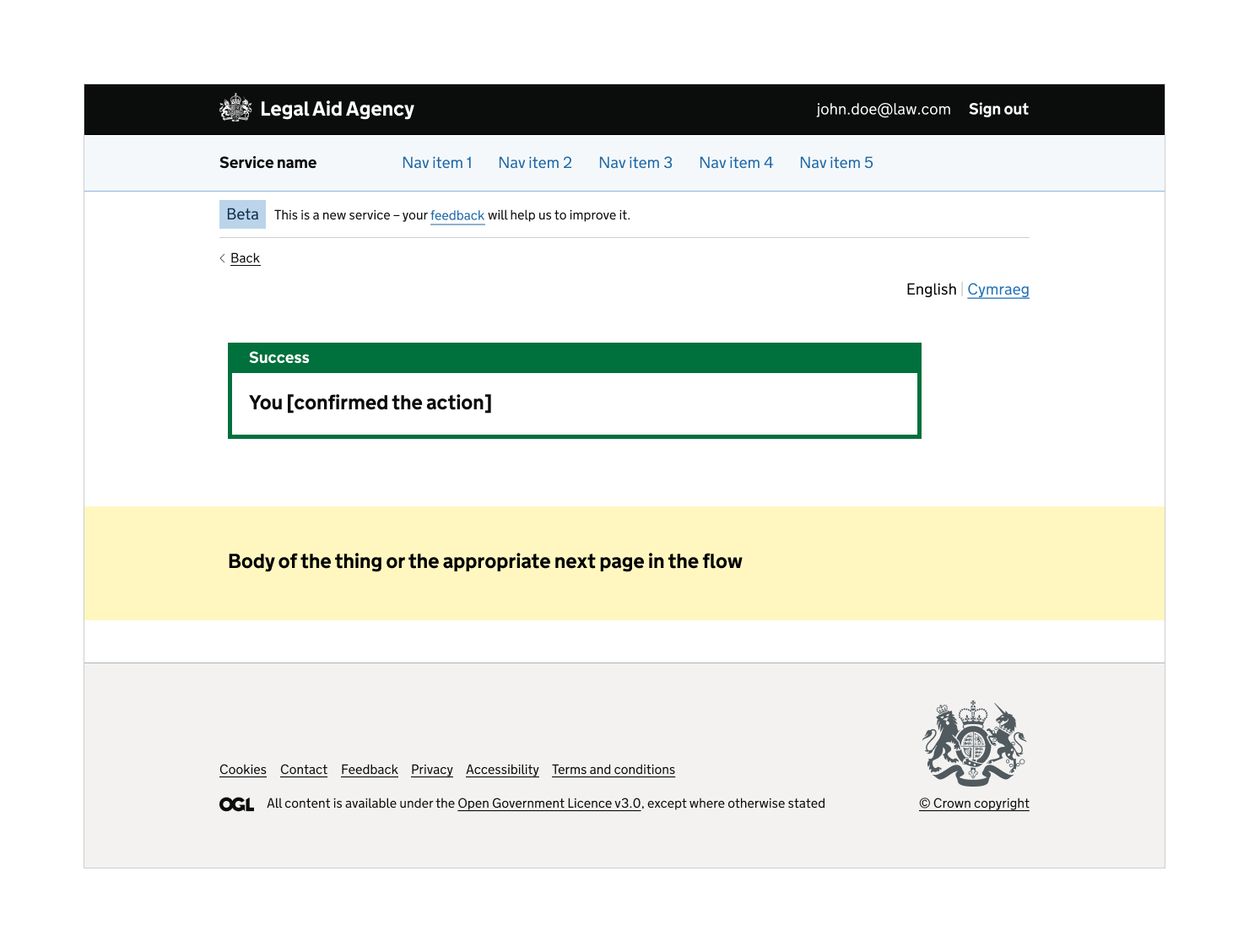
- ‘success’ screen
You can view all the ‘confirm an action’ pattern variants.
Not all actions need a ‘confirm an action’ pattern. Use it when:
- the action cannot be undone (or not undone easily)
- the consequences of the action need to be called out to the user
- some users need to provide further information about the action
The same action may need a confirmation in one service but not in another. This depends on the user needs of the service.
How the pattern is being used
This pattern is being used for the following actions (for an application, case or claim):
- assign
- remove
- reassign
- delete
How to use
There are 4 pattern variations:
- ‘success’ screen only
- ‘confirm action’ screen with details in a GOV.UK summary list
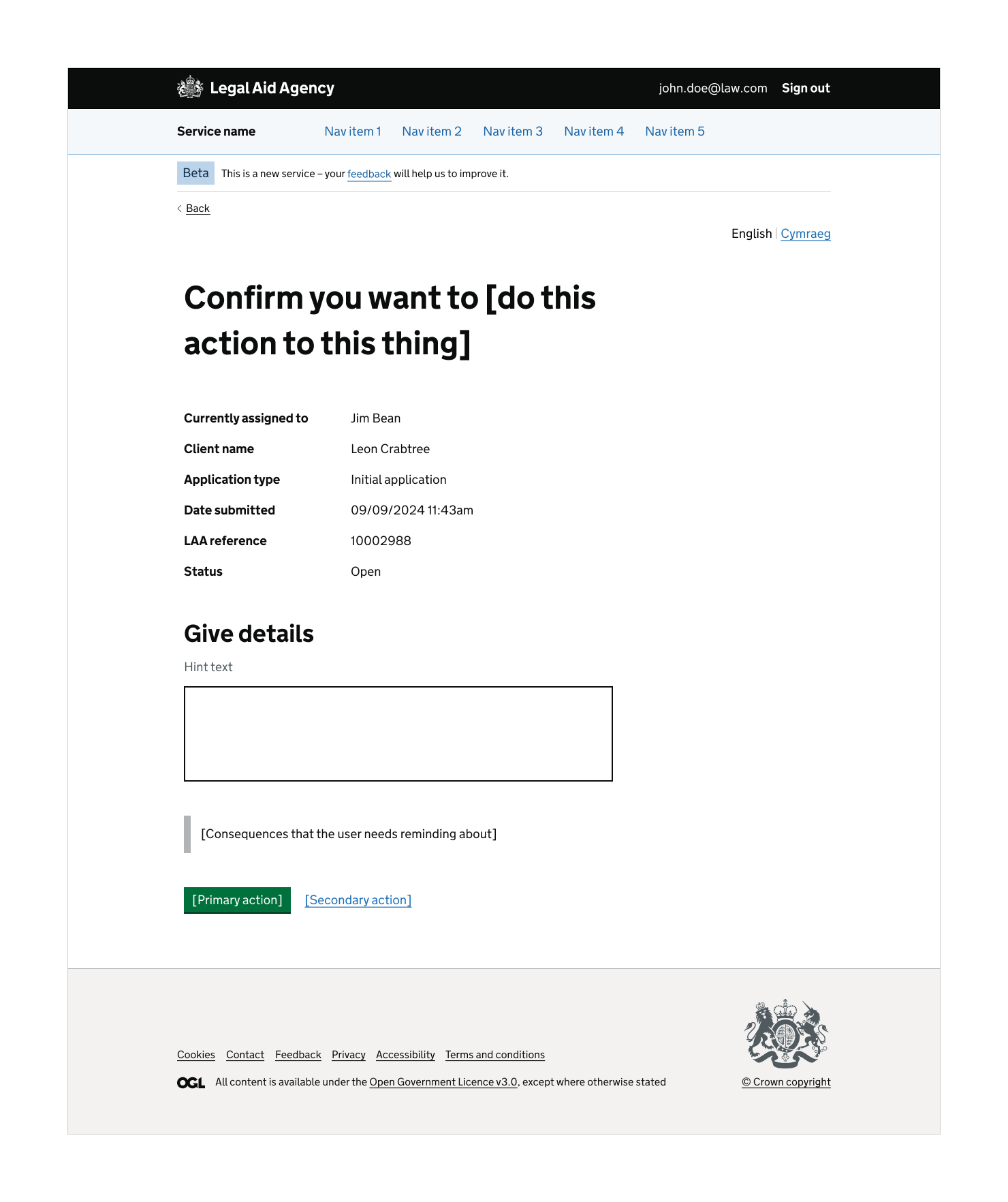
- ‘confirm action’ screen with details in a GOV.UK summary list and GOV.UK textarea for users to explain more
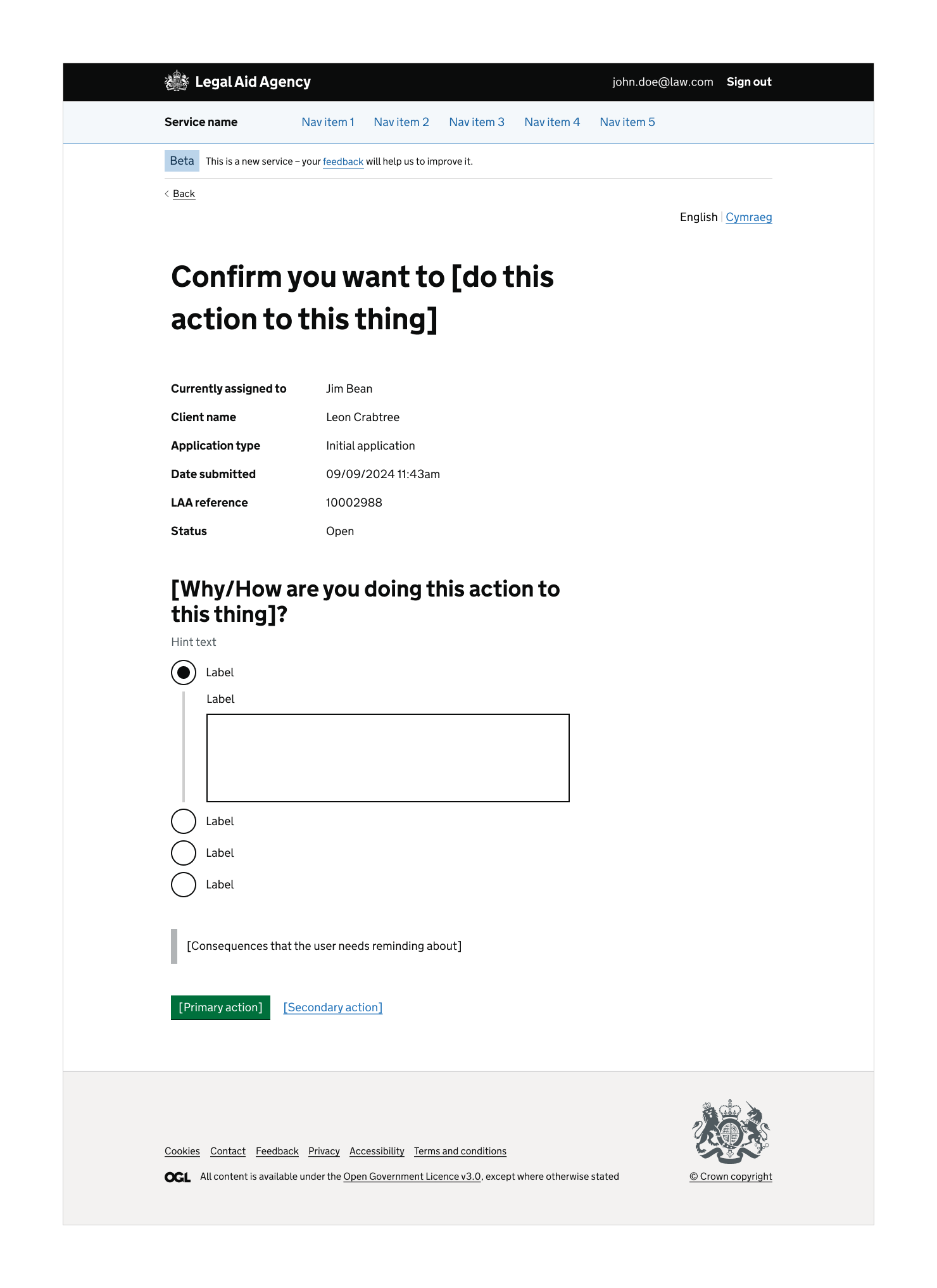
- ‘confirm action’ screen with details in a GOV.UK summary list, GOV.UK radios and a GOV.UK textarea conditionally revealed for users to explain more
View the ‘confirm an action’ pattern variants.
You may need to create further variations depending on user needs. For example, in the ‘Non-standard crime claims (NSCC)’ service in LAA there’s a variation of a confirmation screen with:
- details in a summary list
- checkboxes for the user to select multiple options
- a textarea for users to provide further explanation
Designing the pattern
Use a static heading, because dynamic headings can have an unpredictable length.
Show the important details to the user when asking them to confirm the action. This is to reassure them that they have the correct thing.
Use a GOV.UK summary list or GOV.UK summary card to display the relevant details.
The calls to action can be:
- the primary action
- a way back
- the GOV.UK warning button
The notification banner tells the user what effect the action has had. If the action does not need a confirmation screen, this notification is shown immediately after the action.
Research on this pattern
There are no known issues. This pattern is being used in several live LAA services.
Contribute to this pattern
You can help develop this pattern by adding information to the ‘confirm an action’ Github discussion. This helps other people to use it in their service.
The ‘confirm an action’ pattern has 4 variants.
‘Confirm action’ screen with details in a GOV.UK summary list
‘Confirm action’ screen with details in a GOV.UK summary list and GOV.UK textarea for users to explain more
‘Confirm action’ screen with details in a GOV.UK summary list, GOV.UK radios and a GOV.UK textarea conditionally revealed for users to explain more
‘Success’ screen only
Contribute prototypes and Figma links
There may be more links and resources in the ‘confirm an action’ Github discussion.
If you have design files that are relevant to this component you can add them to the Github discussion. This helps other people to use it in their service.
No accessibility findings were included when this component was added. There may be more information in the ‘confirm an action’ Github discussion.
Contribute accessibility findings
If you have accessibility findings that are relevant to this component you can add them to the Github discussion. This helps other people to use it in their service.
No code was included when this contribution was added.
You can use the ‘confirm an action’ Github discussion to:
- view other code blocks
- add relevant code